
Expert Advice · Behavior · 8 min read
Dog barking at the TV? A step-by-step plan to stop it
Most dogs who bark at the TV are reacting to animals, doorbells and sudden sounds. Lower the volume, change where the dog lies, give a chew on a mat, and practise with recorded sounds at low volume until the dog can stay calm.

If your dog barks at the TV, start by turning the volume down and moving the dog’s bed so the screen is off to the side, then give a long-lasting chew on a mat whenever you sit down to watch. Reward the dog for looking at the screen and staying quiet, and practise with recorded doorbells and barks at very low volume until they mean “treat” instead of “alarm”. Barking at real visitors is covered on barking at the door; this page owns the screen.
I am Andrew Darov, a dog trainer. I am not a veterinarian. This is a behavior page about barking in the living room.
Why do dogs bark at the TV?
The TV makes the same sounds and shows the same movement that set off barking at the window and the door. Turn it down, move the dog, reward quiet.
Dogs react to what they see and hear. A doorbell on a TV show sounds like your doorbell. A barking dog sounds like a dog outside. Horses, cats and birds moving across a large screen catch the eye of many dogs, especially herding breeds and terriers.
There are a few common patterns:
- Sound barkers react to doorbells, knocks, barking and howling, often without looking at the screen.
- Movement watchers stare at animals on the screen, sometimes jump at the TV or look behind it.
- Advert barkers bark at a jingle or a loud change in volume between programs.
Each time the dog barks and the scene changes, the bark seems to have worked. That is why it gets stronger.
How do you set up the room?
Small changes cut a lot of barking before any training:
- Volume. Many dogs react less when the sound is lower. Subtitles help you keep it down.
- Position. Put the dog’s bed or mat to the side of the screen or behind the sofa, not directly in front of it.
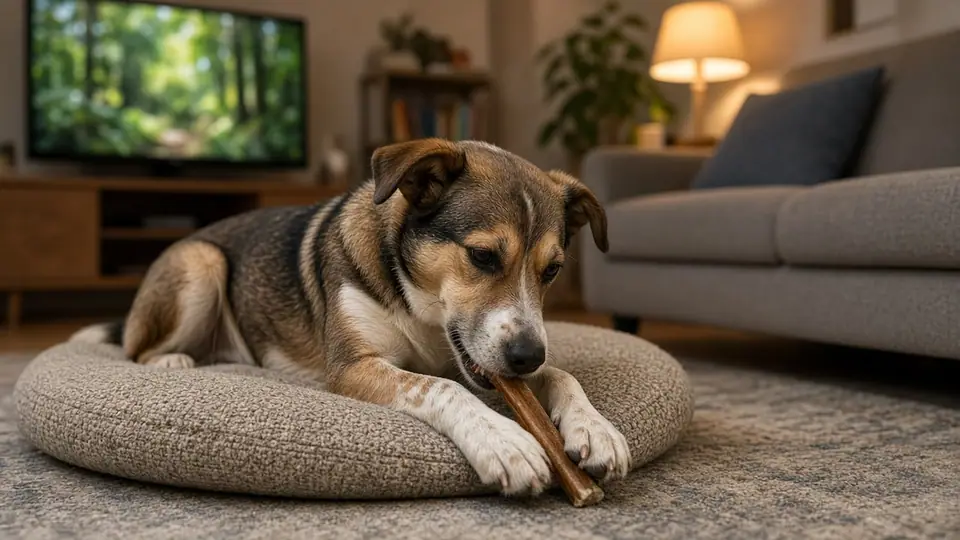
- Something to do. A long-lasting chew or a stuffed food toy on the mat when the TV goes on gives the dog a better plan.
- A tired dog. A walk with time to sniff before an evening of TV makes settling easier.
A dog who has learned place can be sent to its mat when you sit down to watch.
How do you teach a dog to stay quiet during TV?
- Lower the volume and move the bed. Set up the room as above, so the dog starts in an easier spot.
- Give a chew on a mat. Each time you sit down to watch, the dog goes to its mat and gets a chew there. Keep the best chews for TV time.
- Reward calm looks at the screen. When an animal or a doorbell comes on, watch the dog. If it looks and stays quiet, say “yes” and give a treat. This is the same idea as the look-then-treat game in pattern games.
- Practise with recorded sounds. At a quiet time of day, play a recorded doorbell or dog bark from your phone at very low volume for a second, then feed a treat. Do it four or five times, then stop.
- Turn it up slowly. Over days, raise the volume a little, or play the sound on the TV itself. If the dog barks, go back to a quieter level next time.
If the dog does bark, calmly say your quiet cue, wait for a second of silence and reward it. How to teach that word is on the quiet command page.
What if your dog jumps at the screen?
A dog who jumps at the TV or runs behind it needs management first. Keep the dog on a lead or behind a gate during shows with lots of animals, and use the steps above with nature programs at low volume and the picture far away. Some dogs do better if they cannot see the screen at all for a few weeks while you practise.
When should you get more help?
If the dog cannot settle even with the TV off, shakes, hides or seems worried all evening, look at the whole day: rest, walks, sniff time and noise at home. Sudden barking at sounds in an older dog, or barking that comes with other changes, is a reason to ask your vet. See when to call the vet.
What are the usual mistakes?
- Shouting at the dog. To many dogs it sounds like you are barking too.
- Turning the TV off every time the dog barks. The dog learns that barking switches it off.
- Playing recorded doorbells too loud. Start so quietly the dog barely notices.
- The dog’s bed right in front of the screen. Move it to the side.
- Practising only during your favourite show. Short sessions at quiet times teach faster.
Turn the TV down, move the mat, give a chew, and reward quiet looks. For barking at real visitors, see barking at the door, and teach a quiet cue and a solid place to back it up. More on the behavior hub.
Questions on this page
Why does my dog bark at the TV?
Dogs bark at the TV for the same reasons they bark at a window: animals, doorbells, knocks, other dogs barking and sudden movement. Modern screens show smooth movement and clear sound, so many dogs react to them as if they were real.
Do dogs grow out of barking at the TV?
Usually not by themselves. Each bark that "works" (the animal leaves the screen, you look at the dog) makes the next one more likely. A short plan with volume, position and a mat works better than waiting.
Should I turn the TV off when my dog barks?
Turning it off every time the dog barks can teach the dog that barking controls the TV. Lower the volume or pause before the triggering scene, and reward quiet moments instead.
Which TV sounds make dogs bark the most?
Doorbells, knocks, dogs barking, howling, animal calls and sudden loud noises are the usual ones. Many owners notice the dog barks at advert jingles too, because they always come before the doorbell in the dog's mind or are much louder.
Is barking at the TV a sign of a problem?
Usually it is a habit plus excitement or worry. If the dog cannot settle at all, shakes, or the barking started suddenly with other changes, ask your vet and look at the overall day for enough rest, exercise and sniff time.
Work with me
A $150 consultation or $500 monthly curatorship. Opens WhatsApp to Andrew.